
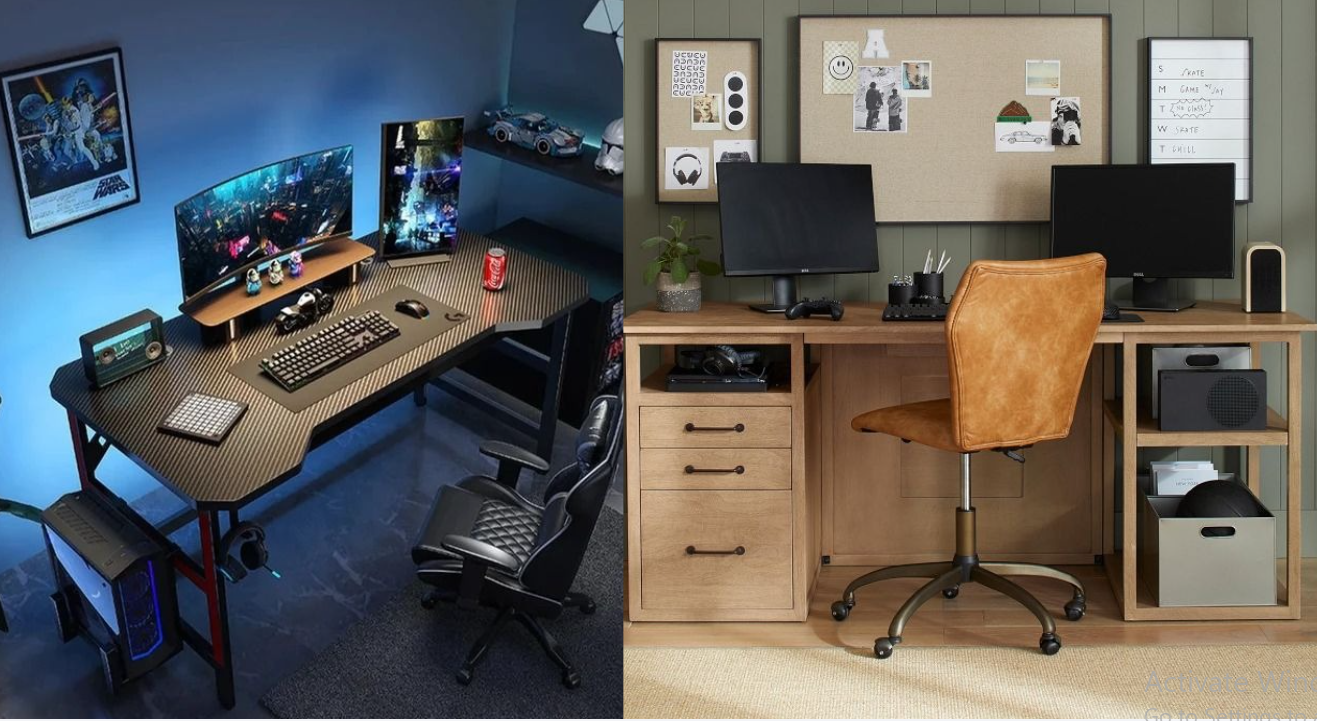
Picture this. Great PC, nice chair, a monitor you saved up for. And you still dread sitting down, because the desk is wrong. The mouse runs out of room. Cables pile up behind everything. The screen sits so low that your neck complains by the second match.
Most of that is fixable without spending much. A giant room isn’t the answer. A desk that actually fits is, plus a proper place for your gear and an hour spent on the cables.
Start With the Space You Have
Look at the room before you shop. I know it’s dull. It’s also the step that saves you the most trouble.
Measure the spot where the desk will go. Then think about the chair. Can you push it back without hitting the bed? What about the wall? Check the outlets as well, since a PC, a monitor and a pair of speakers need power, and a cord stretched across the floor is a trip hazard.
Small bedroom? A straight desk against one wall is usually the easiest choice. Spare room? Go wider. Just let the desk fit the room, not the reverse.
Gaming Desk Designs That Are Worth Considering
There’s no single best desk. It depends on what you use every day.
A Simple Desk for a Minimal Setup
Plenty of people don’t want lights and gadgets everywhere. Fair. A plain desk can look great when everything has a home.
Monitor, keyboard, mouse, headphones. For a lot of gamers, that’s the full list. Black, white or natural wood all work, so pick whichever suits the room. If you like a clean look, hunt for hidden cable storage.
Handy if the same desk doubles as your study spot, too.
An L-Shaped Desk for More Room
You get extra surface without buying a second table. Main gaming gear goes on one side. Laptop, speakers or whatever else on the other.
Running more than one monitor? This is a strong pick. You can also split it up: games on one arm, everyday stuff on the other.
Measure carefully, though. These things are big, and in a small bedroom one can take over the whole room.
A Compact Desk for a Small Bedroom
Tight on space? Go compact. Push it against a wall and the rest of your furniture still fits.
Look at the keyboard area, and check there’s enough depth for the monitor. Some small desks come with a shelf underneath, which is great for controllers and odds and ends.
Don’t trust the product photo. Read the real surface measurements, because a desk that looks fine online can feel cramped once the keyboard, mouse pad and monitor are on it.
A Gaming Desk With Drawers and Shelves
If your desk is always buried in headphones, chargers, controllers and cables, extra storage is a lifesaver.
Drawers suit the small things you don’t touch every day. Open shelves can take a console or a few boxes. Just leave space for your legs and the chair.
Features That Make Everyday Gaming Easier
You don’t need twenty features. Three or four good ones carry most of the load.
Cable management is the big one. Holes in the surface or a tray underneath keep wires from sprawling over the top, and it matters a lot once five devices are plugged in. Next, the frame. A wobbly desk gets old fast, since monitors are heavy, so look up the weight limit before you buy. Depth is the sneaky one. Too shallow, and the screen sits too close while the keyboard has nowhere to go.
Height adjustment is nice if you like standing now and then. A monitor shelf can free up space too, though it needs to match your screen’s width.
Pay for what you’ll really use. Skip the rest.
Make the Setup Comfortable for Long Sessions
Comfort first, honestly. Start with the chair: feet flat on the floor, shoulders loose, keyboard and mouse close enough that you’re not reaching.
Then the monitor. Keep it a comfortable distance away, with the top edge at eye level or a bit lower. If the desk can’t get you there, a stand or an arm will.
Lighting gets ignored until your eyes start to hurt. In a dark room they tire quickly, so a soft lamp helps. RGB strips look cool, but nobody needs them. Just don’t let a bright light bounce off the screen.
Stand up now and then, too. No desk can do that part.
Easy Ways to Keep the Desk Organized
Don’t rush out and buy a stack of organizers. Start with what’s already on the desk.
Controllers get one spot. Headphones go on a stand or a hook. A small box holds USB drives and spare cables, and a desk mat ties the keyboard and mouse area together.
Cables make most of the mess, so deal with them first. A few clips or an under-desk tray can run them along the back. Keep daily chargers apart from the ones you almost never touch.
Skip the urge to decorate every corner. One small plant, one figure from a game you love, one simple lamp. Enough.
What Should You Check Before Buying?
Photos can’t tell you how a desk will work in your room. Put the listed measurements next to your own, then read up on the material, the frame, the weight limit and how hard it is to assemble.
Ordering online? Reviews are where the truth hides: wobbling, chipped edges, a three-hour build, a top that scratches if you look at it wrong.
Think about the gear you might add, too. One monitor now, maybe two later? Get a desk that can take both. A bit more money today can save you buying a second desk next year.
Frequently Asked Questions
What is a good size for a gaming desk?
Depends on the gear. One monitor fits fine on a compact desk. Two or three need more width and depth.
Are L-shaped gaming desks useful?
They are. More surface space, and an easy way to keep gaming gear apart from work or study things.
How do I keep gaming desk cables tidy?
Clips, sleeves and an under-desk tray do most of the job. Together they keep wires organized and out of sight.
Do I need a special gaming desk?
Not really. A regular desk works if it has enough room, a solid frame and a comfortable height.
[…] dupe in your living room. You can also drape a heated throw over your chair while working at a gaming desk setup. If you want relaxing bedroom warmth without open flames, pairing your bedding with a candle […]